Desktop · an IDE for Arduino

FalangDuino

Arduino without fighting C++ syntax

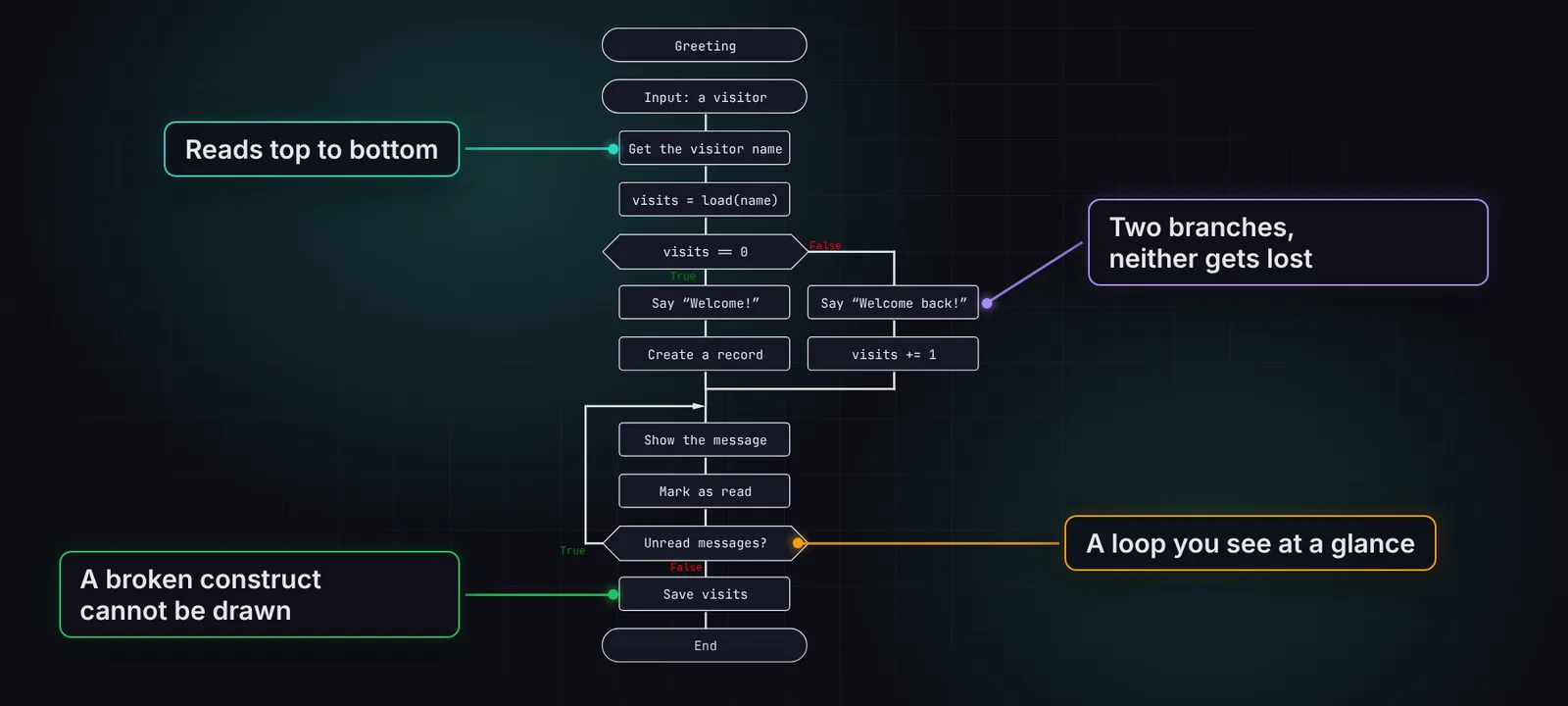
FalangDuino is a friendly IDE for Arduino boards. setup() and loop() are diagrams, the wiring lives in its own document, and the app builds a regular .ino sketch, flashes it with arduino-cli and shows variables while the board is running.

Download (soon)Source on GitHub
  • Uno
  • Nano
  • Mega 2560
  • ESP32
  • arduino-cli
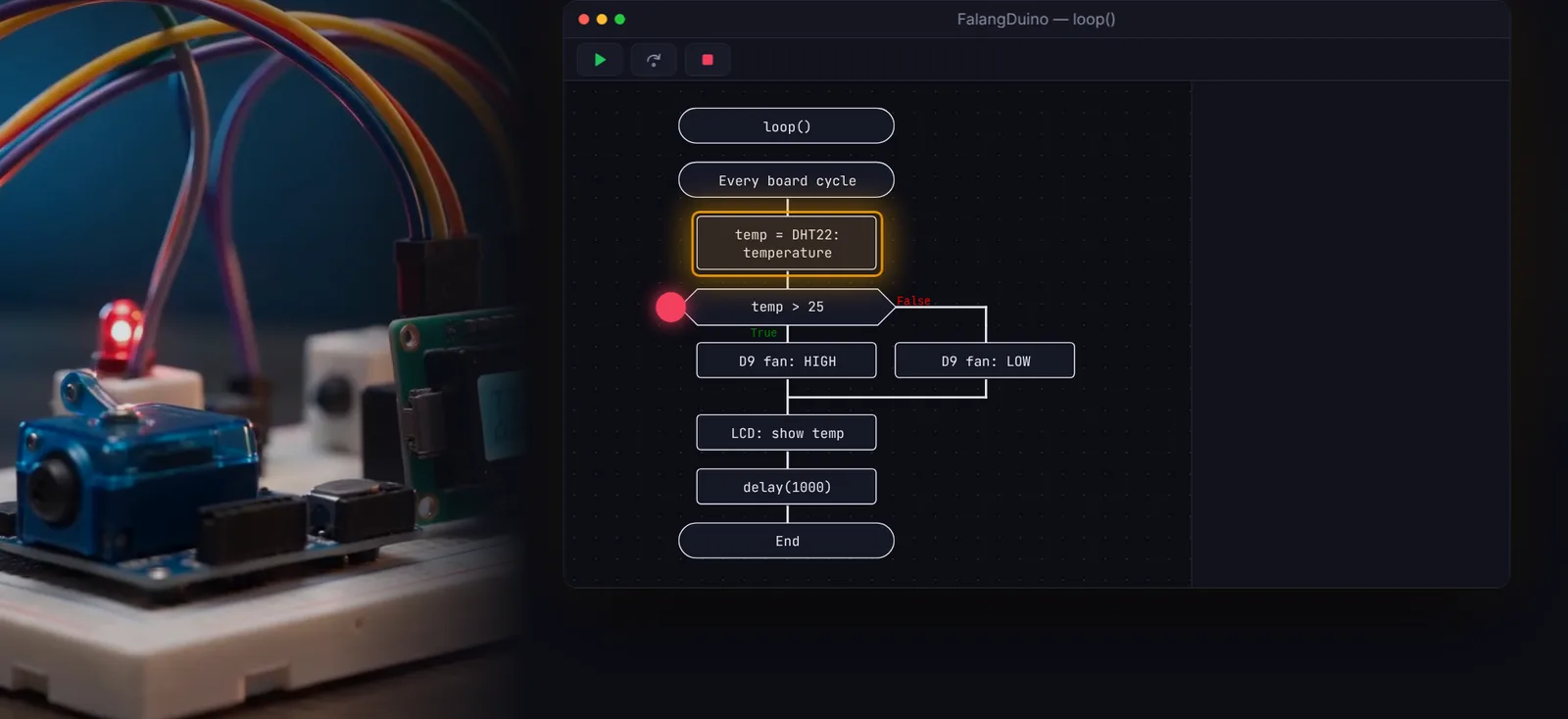
A thermostat loop() diagram in FalangDuino with the current step highlighted, next to a breadboard

How it works

Four steps to a working device

  1. 1

    Pick a board

    Uno, Nano, Mega 2560 or ESP32 — once, when you create the project.

  2. 2

    Describe the wiring

    The Devices document holds pin modes and devices. The start of setup() is generated from it.

  3. 3

    Draw the logic

    Pins, sensors, motors and displays are ready-made blocks in the loop() diagram.

  4. 4

    Flash and debug

    Build & Upload compiles the sketch, flashes the board and attaches the debugger.

Hardware

Boards and drivers out of the box

Popular boards and six ready-made device drivers — their blocks show up in the insert menu right away.

Boards

  • Arduino Uno
  • Arduino Nano
  • Nano (old bootloader)
  • Mega 2560
  • ESP32 Dev Module

Built-in drivers

ServoSet an angle, 0–180°
DHT11 / DHT22Temperature and humidity
HC-SR04Ultrasonic distance sensor
LCD1602 (I2C)Clear the screen, print text
LCD1602 (Parallel)The same display on 6 pins
WS2812 RGB stripPixel color and show

Missing one? Add your own driver to the project or your personal library — or ask the AI agent.

FalangDuino

What FalangDuino does

So your evening goes into the device, not into hunting for a missing semicolon.

Pins and devices

Hardware as ready-made blocks

A digital pin is a HIGH/LOW switch, PWM is a 0–255 slider, sensors and motors are blocks with clear fields. No pinMode and digitalWrite calls that are easy to get wrong.

  • A pin read lands straight in a variable
  • delay, millis, random, Serial are blocks too
  • Only the drivers you use are copied into the sketch
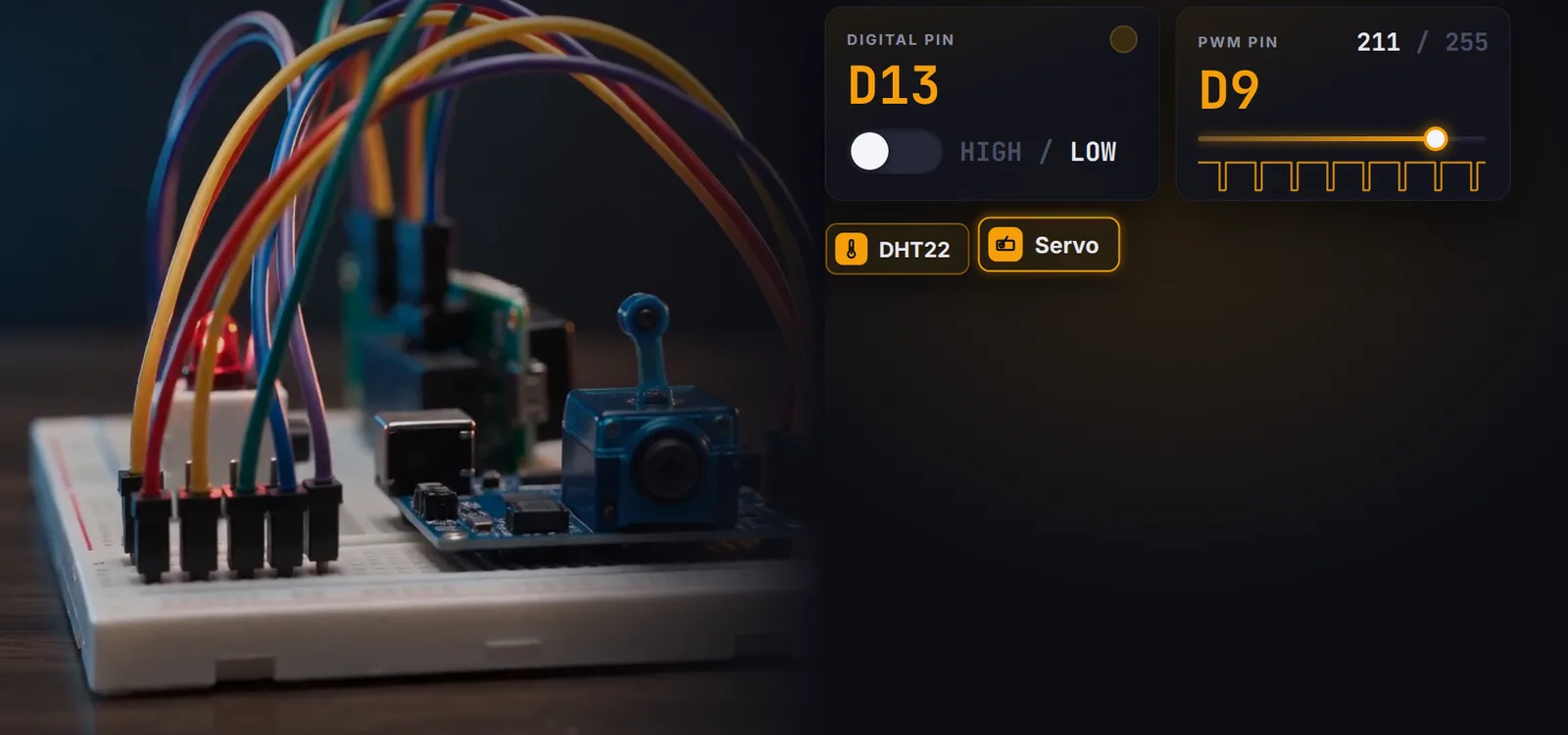
Digital and PWM pin blocks, a DHT22 sensor and a servo next to a breadboard

Debugger

Breakpoints on the live board

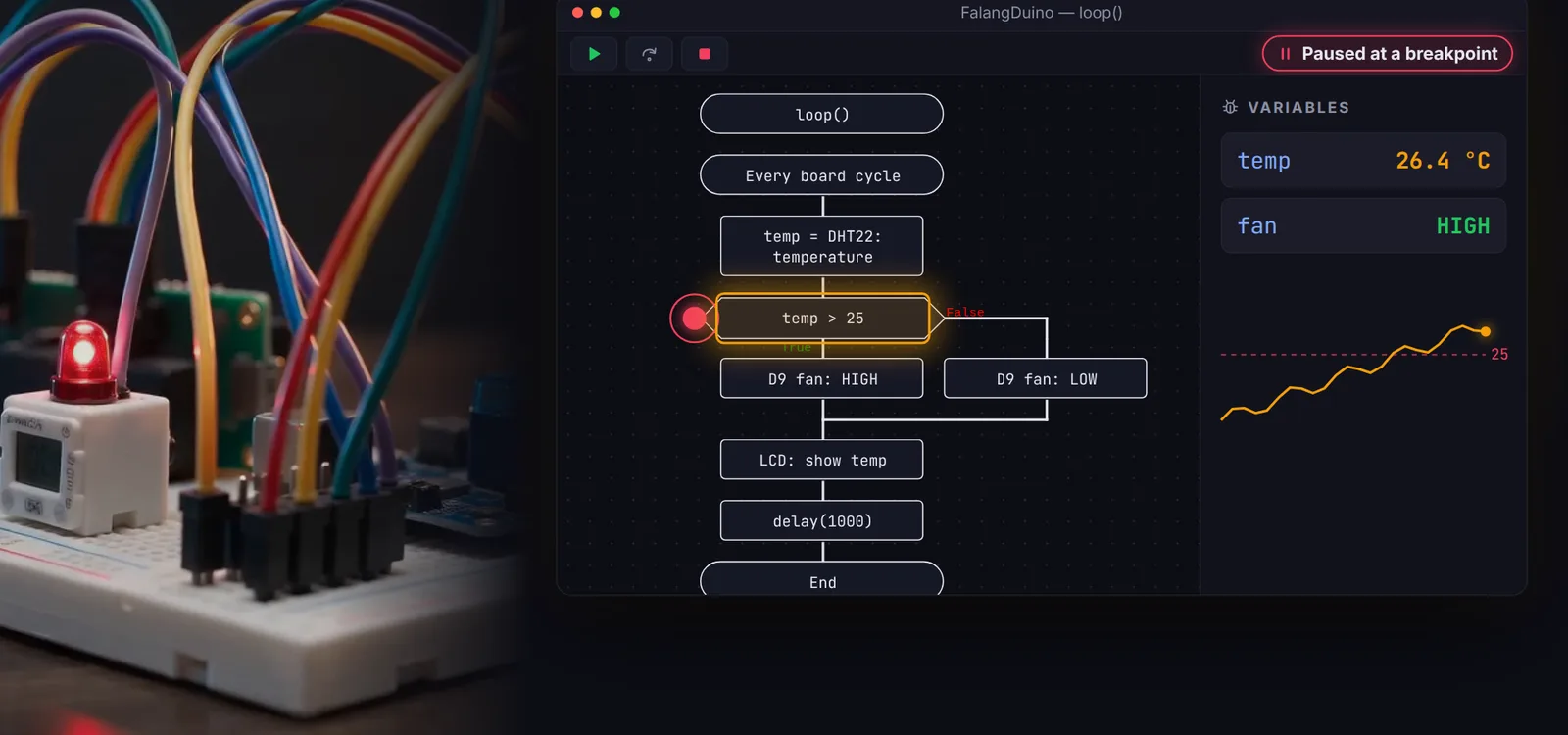
Set a breakpoint right on a block and press Upload (debug): execution pauses on the board, the block lights up, and the panel shows variable values. Then continue or step over.

  • Over the same USB port — no programmer needed
  • Toggle breakpoints while it runs
  • Never misses a stop, even inside setup()
A sketch paused at a breakpoint: the variables panel shows temperature and fan state

FalangDuino

And there’s more

Custom drivers

A sensor driver is a pair of C++ files plus a JSON block description. It’s compile-checked with arduino-cli before saving.

AI agent

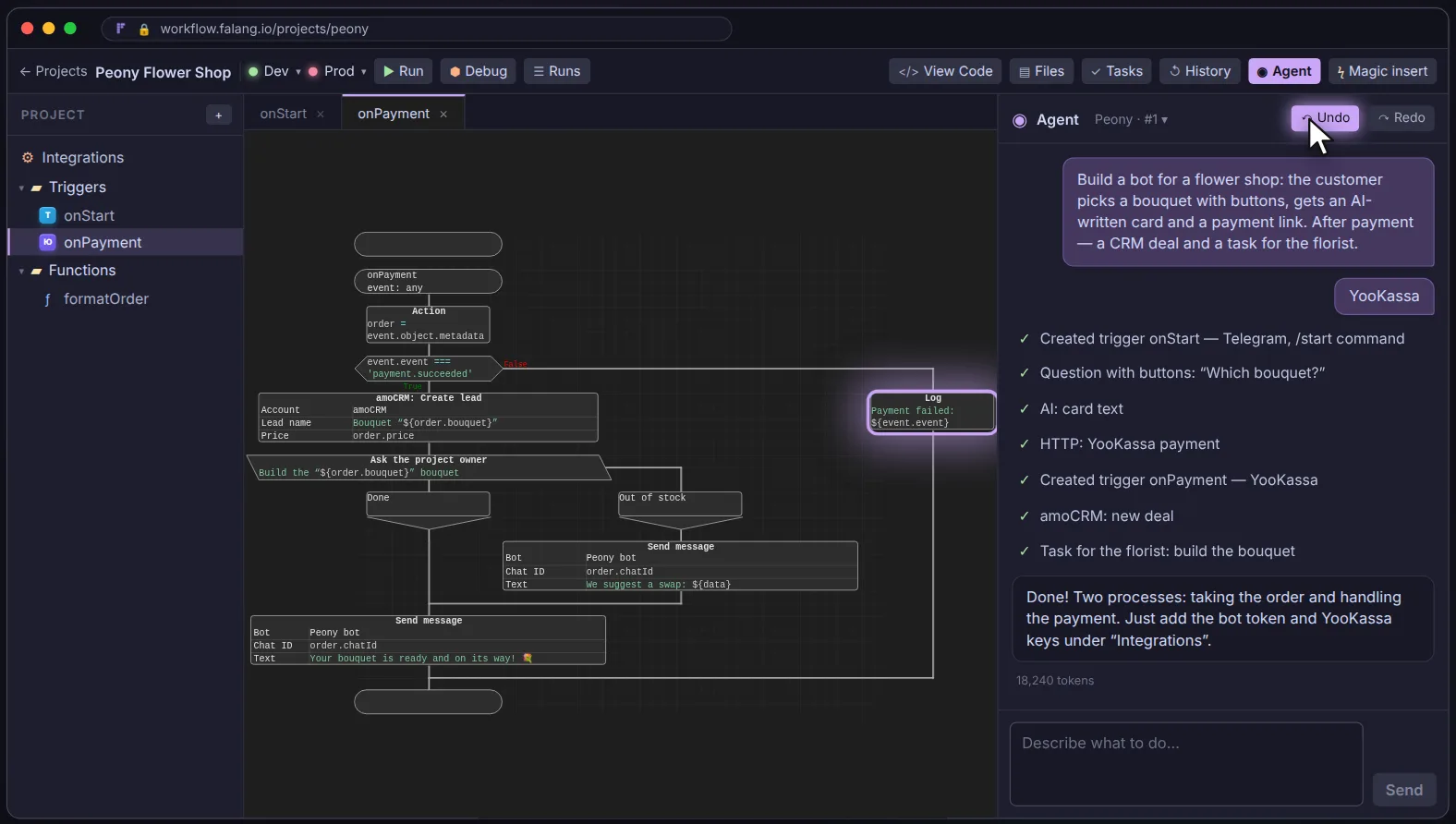
Edits setup, loop and the devices table from a plain-language description — and can write a driver.

Claude Code over MCP

An agent in your terminal edits diagrams, writes and validates device drivers, fills in Devices.

Version history

The sketch, drivers and board settings are versioned in git, and versions compare right on the canvas.

A readable sketch

The generated src/sketch/sketch.ino lives in the project — open it, read it, commit it.

Print to PDF

setup and loop diagrams on sheets from A4 to A1 — for a report, a lesson or a stand.

FalangDuino

Who it’s for

Makers

A smart home, a weather station or a weekend robot — without an evening spent chasing a missing brace.

Robotics clubs

Students see the algorithm instead of the syntax, and check it on the board with a debugger right away.

Prototyping

Wire up a sensor rig and test an idea quickly, before writing the firmware by hand.

FalangDuino

FAQ

What do I need to install?

arduino-cli and the core for your board (for example arduino:avr for Uno, Nano and Mega). The app finds arduino-cli on PATH, in the usual install locations, or inside Arduino IDE 2.

Which boards are supported?

Arduino Uno, Nano, Nano (old bootloader), Mega 2560 and ESP32 Dev Module.

Where does the debugger work?

Over the same USB serial port used for uploading. It’s verified on a real board on Linux; debugging isn’t available on Windows yet, while regular build and upload work wherever arduino-cli does.

Can I add my own sensor?

Yes. Write a driver yourself, reuse one from your personal library, or ask the AI agent — the app validates it before saving.

Build your first device without a line of C++

FalangDuino will be available for download soon. The source is already open, and release news goes to the Telegram channel.

Download (soon)Source on GitHub